Skip to content
Calculus · Mathematics

Maths Studio: Free Online Graphing & Geometry Calculator

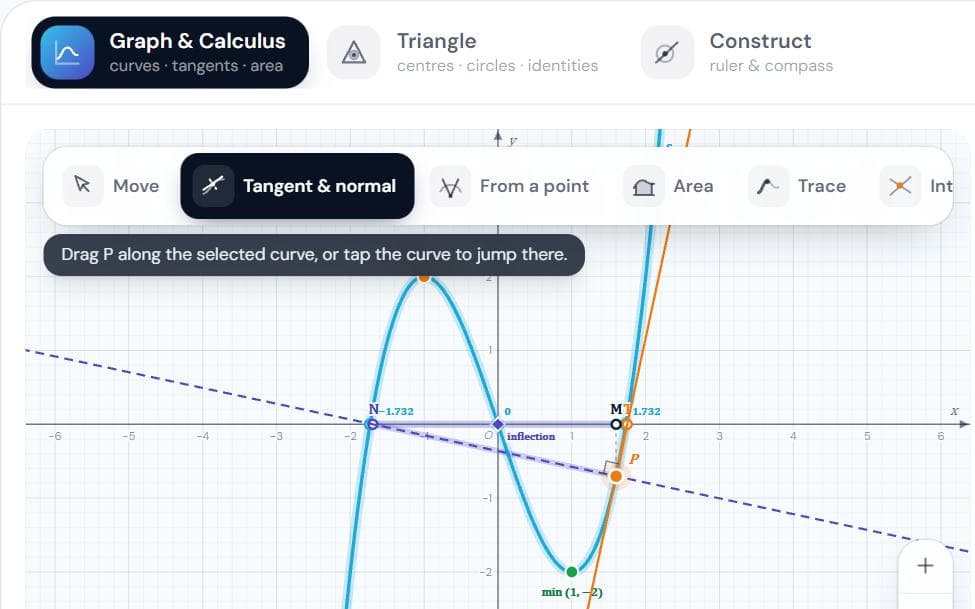
A graphing and geometry workspace in the spirit of GeoGebra, built for JEE. Plot any curve (y = f(x), conics, parametric, polar, with sliders). Draw the tangent and normal at any point with sub-tangent and sub-normal, every tangent or normal from an outside point, the area under or between curves with Riemann sums, a full curve-tracing analysis, and the labelled intersection points of any two curves. Then explore every centre of a triangle, and build constructions with GeoGebra's full toolbar: points, lines, circles and arcs, conics (ellipse and hyperbola from foci, four points, or a focus, directrix and e), measurements, transformations, locus, animated sliders, checkboxes and buttons, GeoGebra-style commands, and links to share your work.

Interactive virtual lab · no download · works on phones and laptops

Chapter
Graphs · Application of Derivatives · Area · Triangles
For
Class 11 · Class 12 · JEE
Time
~25 min

Maths Studio is a Pro simulation

Pro opens all 125 virtual labs — 483 simulations with guides and quizzes.

How to use it

  1. 1Type a curve in the input bar, or open the keyboard (⌨) for maths keys. Letters like a, b become sliders.
  2. 2Pick a tool on the board: Tangent & normal, From a point, Area, Trace or Intersect. Tap a curve to select it.
  3. 3Turn on Curve tracing for roots, extrema, inflections, asymptotes and the sign chart of f′ and f″.
  4. 4Drag to pan, scroll or pinch to zoom; the crosshair button resets the view.
  5. 5Triangle: drag A, B, C and switch centres on and off. The identities update live.
  6. 6Construct: each toolbar button opens a group of tools (points, lines, circles, conics, measure, transform…). Tap points (empty space makes a new one), then drag the blue points.
  7. 7Construct: type equations, sliders or GeoGebra commands in its input bar (x^2/9 + y^2/4 = 1, a = 2, Circle(A, 3), Tangent(P, c), Integral(f, 0, 2)); tap a conic to see its foci, directrices and e.
  8. 8Save & share (next to the modes): copy a link that opens your exact workspace, download a picture, or save and open a file. Your work also saves itself in this browser.

What to notice

  • At a maximum or minimum the tangent is horizontal; at an inflection point f″ changes sign.
  • Normals to y² = 4ax from a point on its axis: one, or three once the point is beyond (2a, 0).
  • The sub-normal of y² = 4ax is always 2a, wherever P is.
  • ∫ counts area below the axis as negative; the area between curves needs |f − g|.
  • O, G, H always lie on the Euler line with HG = 2·GO, and N is the midpoint of OH.
  • The tangent at any point of a circle is perpendicular to the radius there.
  • On an ellipse PS + PS′ = 2a for every point P; on a hyperbola |PS − PS′| = 2a.
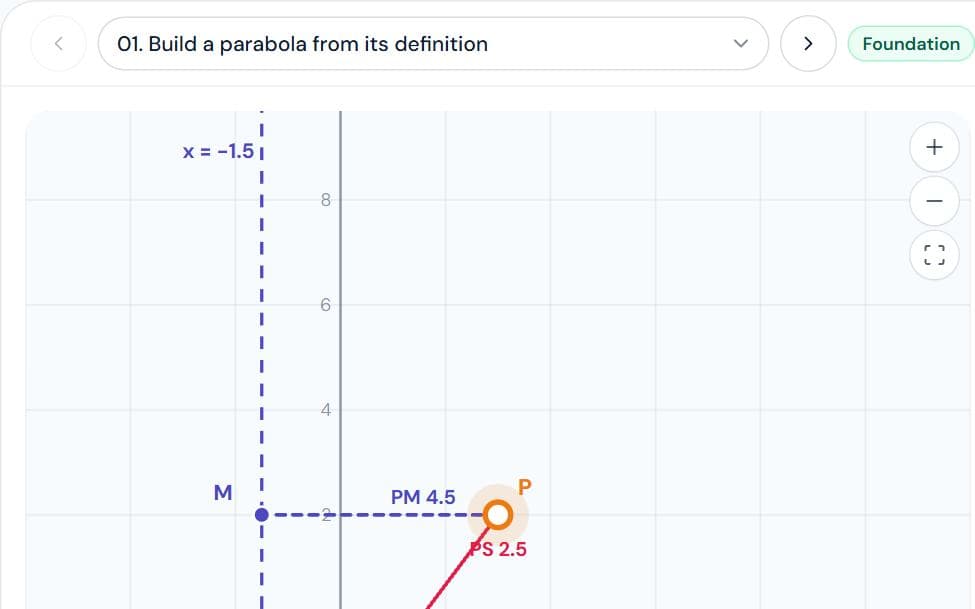
  • PS = e·PM: slide e through 1 and the same focus and directrix give an ellipse, a parabola, then a hyperbola.

For teachers

A ready-made teaching kit comes with this lab

  • Lesson plan

    29 min, 4 steps

  • Ask the class

    3 questions with answers

  • Quick quiz

    7 questions, printable

  • Key formulas

    3 formulas

About the Maths Studio simulation

Maths Studio is a free graphing calculator and geometry workspace in the spirit of GeoGebra, built for JEE coordinate geometry and calculus. Plot any curve — y = f(x), conics, implicit, parametric and polar — with sliders, then draw tangents and normals, shade the area under or between curves, mark intersections, and trace a curve's roots, extrema and asymptotes.

Its Construct mode has GeoGebra's full toolbar: points, lines, circles and arcs, ellipses and hyperbolas from foci or four points, parabolas from focus and directrix, measurements, transformations, locus, animated sliders, checkboxes and buttons, plus GeoGebra-style commands such as Circle(A, 3), Tangent(P, c) and Intersect(f, g). A Triangle mode shows every centre and its identities. Save your work to a file or share it as a link. It covers Straight Lines, Conic Sections and Application of Derivatives in Class 11 and 12 maths, and JEE Main and Advanced.

Also covers: graphing calculator, geogebra, tangent and normal, subtangent, subnormal, area under curve, area between curves, riemann sum, curve tracing, maxima minima, asymptote, conic sections, parametric, polar, centroid, incentre, circumcentre, orthocentre, excentre, nine point circle, euler line, geometric construction, ellipse, hyperbola, parabola, focus and directrix, eccentricity, locus, intersection of curves, reflection, rotation.
Frequently asked questions

Is Maths Studio a free alternative to GeoGebra?

Yes — it runs in the browser on any phone or laptop with no download or login, and covers graphing, geometry constructions and GeoGebra-style commands for the JEE syllabus.

Can I type GeoGebra commands?

Yes. Commands like Circle(A, 3), Ellipse(S, S′, 5), Tangent(P, c), Intersect(f, g) and Integral(f, 0, 2) work in Construct mode's input bar.

Can I save or share what I make?

Yes: copy a share link that opens your exact workspace, download a picture of the board, or save a file to open later.